
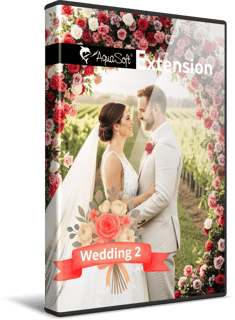
Extension package
„Wedding 2“
from Vision / Stages 2026
Tell the story of a special dayin a lovingly crafted video.
Extension package „Wedding 2“ - for Photo Vision, Video Vision and Stages
Love is in the details – and this wedding extension package perfectly brings that to life.
Stylish graphics in soft pastel or even extravagant colors with delicate watercolor accents, elegant captions on animated backgrounds, and smart templates with floral elements transform photos and videos into modern wedding films with a personal touch. Whether ribbons, rings, hearts, or blossoms: Everything is designed to lovingly prepare special memories. Ideal for presentations at the celebration or as a lasting video for the bride and groom and wedding guests.
Included features

- 1 Sample project
- 2 Smart templates
- 9 Captions with animated background
- 32 animated captions
- 6 Backgrounds
- 120 thematic decorative elements
- 25 Image effects (Masks)
- 1 Palette and 25 Color styles
(in the color selection dialog)
Use Smart templates or get creative yourself
Insert your photos and videos into two new Smart templates, choose your preferred color style from 25 color palettes, and add individual captions. Photo Vision, Video Vision, or Stages automatically take care of animating the backgrounds and romantic decorative elements. Photos and videos, whether taken in portrait format from a mobile phone or in classic landscape format, are united into a coherent whole.
For those who prefer to design themselves, the extension package offers a comprehensive DIY base. Create greeting card videos with text animations in front of animated backgrounds. Simply insert the names and you have a wedding invitation in the form of a video. Complement your favorite memories with delicate, pastel-colored illustrations, animate text and images, and create magical memories.
And this is how it works:
Step 1: Buy the extension package.

Step 2: Start Photo Vision, Video Vision or Stages - from version 2026.

Step 3: Use the new elements, the Smart template, and sample project for your videos and presentations.
The perfect solution for creating videos and presentations
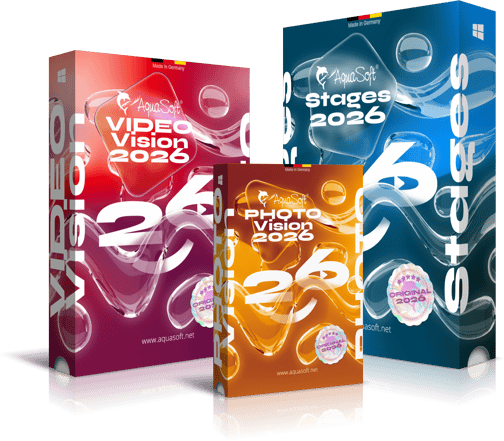
To use an extension package, you need the latest version of Photo Vision, Video Vision or Stages.
Frequently asked questions
An extension package contains various additional elements that can be used in your software after purchase. All elements that belong to an extension package fit together visually. If you bought an extension package once, you will always be able to use it. You can also combine elements from different extension packages.
This extension is compatible with AquaSoft Photo Vision, Video Vision und Stages from version 2026.
You don't need to install the extension manually. It is automatically linked to your customer account after purchase.
When you purchase, you need to provide your e-mail address. This must match the email address you used when you purchased or registered Photo Vision, Video Vision, or Stages. If you use different e-mail adresses, the extension package will not know to wich software it should connect. Please contact our Support-Team, we can help you to connect your software with the extension.
The design elements are customized for the associated applications. The extensions contain effects and features that can only work in the corresponding programs. Therefore, this extension package works exclusively for AquaSoft Photo Vision, Video Vision and Stages from version 2026.