|
<< Click to Display Table of Contents >> Maps and animated paths |
  
|
|
<< Click to Display Table of Contents >> Maps and animated paths |
|
In the Toolbox under the objects tab, you will find the route animation field. There you will find a selection of various objects.
This is also possible with the help of GPX paths or with the help of photos or videos that contain GPS metadata. This data is used to map the route on a suitable map section.
In the Toolbox you will find the Route animations section under the Objects tab. Various objects are available for selection there.
Simple path |
Adds a simple path whose color and width can be changed. |
Decorated path |
Adds a path whose appearance can be greatly influenced. You can select vehicles that appear at the top. |
Map |
Adds a map that is selected in the Map Wizard. |
Map animation |
Inserts a chapter with a map of your choice in the first track. The second track contains a path that can be placed anywhere. |
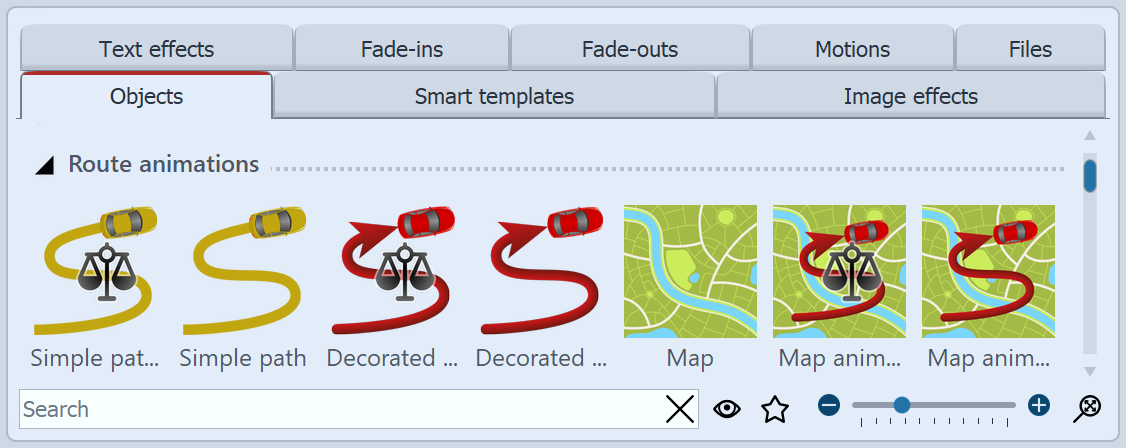 Route animations in the Toolbox To use a specific object, drag it from the Toolbox into the Timeline. For the Map object and Map Animation, the Map Wizard will then open. |
|
Our video "Creating Route Animations" provides a detailed overview of route animation. |
|
The maps are provided by OpenStreetMap. Depending on server load, the maps may take a while to load or may not load completely. If this happens, please try again later. |