|
<< Click to Display Table of Contents >> Export still image |
  
|
|
<< Click to Display Table of Contents >> Export still image |
|
Sometimes there is a desire to extract a particular still image from a project for further use in the project or even in external programs. This can be an original video frame, a beautiful image collage or even a labeled photo. In the Timeline you will find the function Export still image from this position. A JPG or PNG file is then generated.
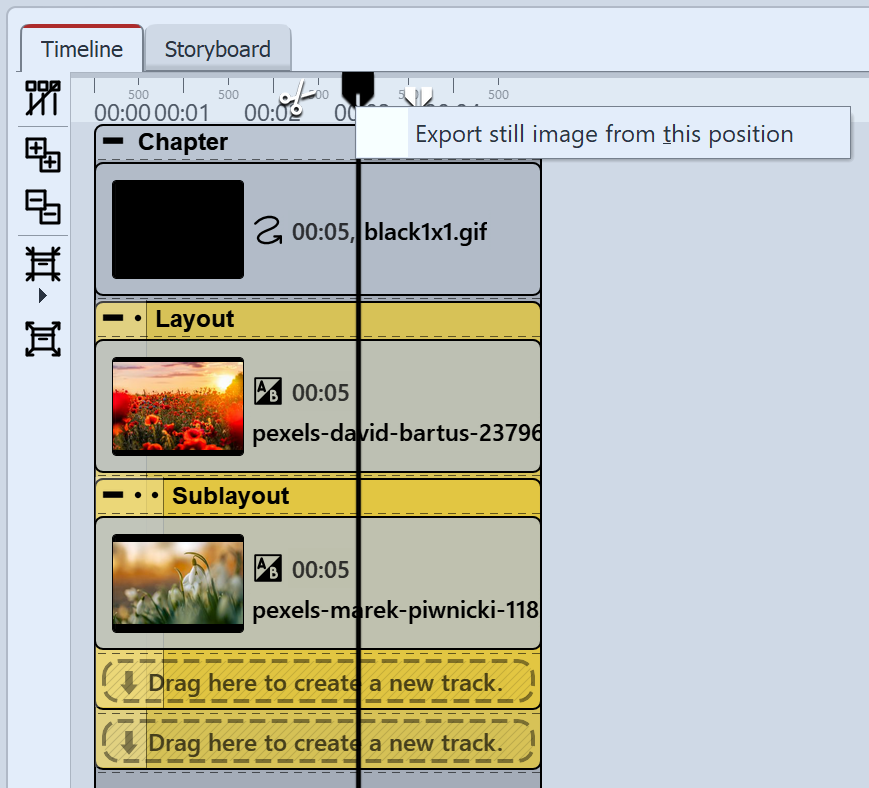 Export still image Drag the Playhead to the location in your presentation that you want to create as a still image. It is best to find this position with Live Preview activated, for example. Now right-click on the Playhead at the top and select Export still image from this position. A window will open allowing you to define the settings for the image to be exported. |
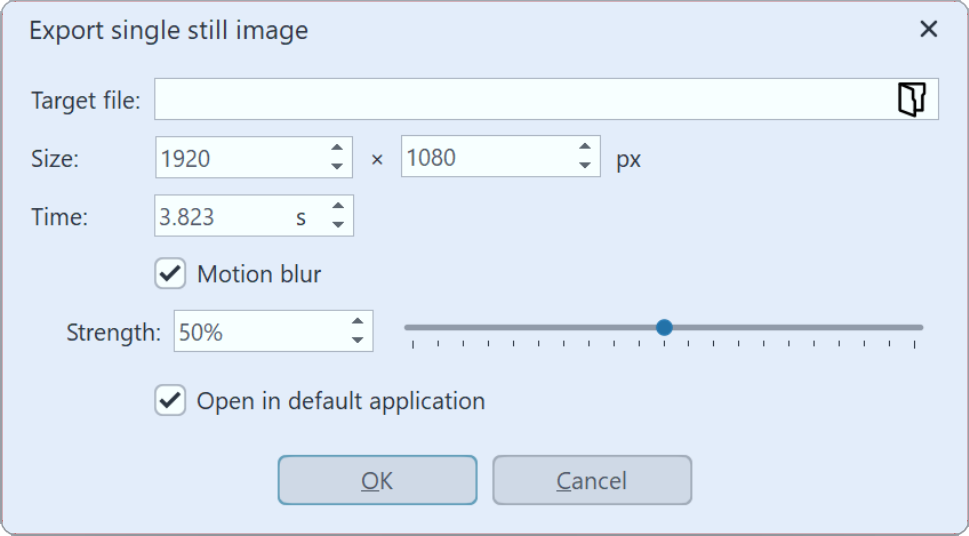 Settings for still image export Use the folder icon to select the location for your still image and specify whether it should be saved as a PNG, JPG or WebPfile. (Transparent areas can only be saved in PNG and WebP files). Select the size for the still image. Furthermore, at the Motion Blur point you can decide whether and with what strength a motion blur should be applied to the still image to be exported, provided that it is played back with motion. After saving the image, you can optionally have it opened directly in the standard application for the image format in question. |
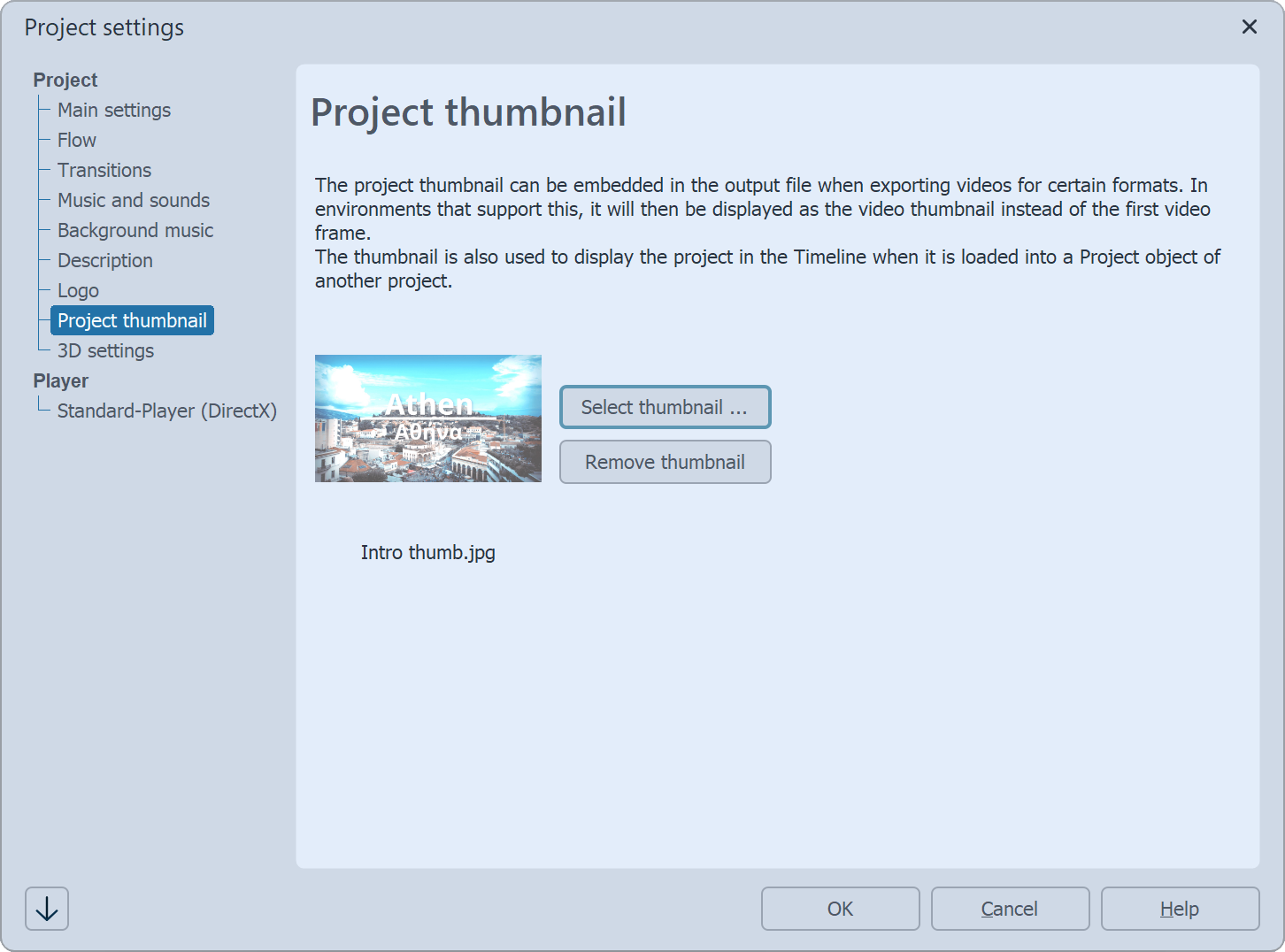 Thumbnail für Projekt/Video 2 Set project thumbnail/video thumbnailIf you have saved an image from this position as a project thumbnail using the freeze frame function, you will find it stored in Project / Settings / Project thumbnail. You can also access this section separately and store an existing image here, or change or remove a stored image. Das Projekt-Thumbnail sehen Sie in der Timeline, wenn das Projekt als externes Projekt in einer Show eingebunden wird. Wird im Video-Assistenten beim Export das Häkchen bei Projekt-Thumbnail einbetten gesetzt, wird das in den Projekteinstellungen hinterlegte Thumbnail als Videothumbnail verwendet. |